.png)
IEEE Learning Network (ILN) Access Guide
To access the educational resources on the IEEE Platform and track your progress and the trainings you wish to pursue individually, please follow the steps below.
*Connecting to the campus internet or VPN network allows you to access the Library's subscription. However, accessing the platform through a general account does not enable individual progress tracking.
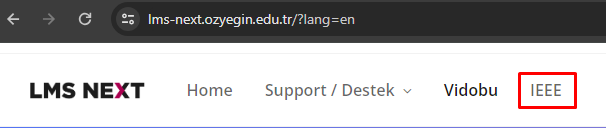
To use your personal account with an "@ozyegin.edu.tr" or "@ozu.edu.tr" extension, you must connect from outside the campus network. Follow these steps to log in: Open the LMS-Next page and click on the IEEE section.
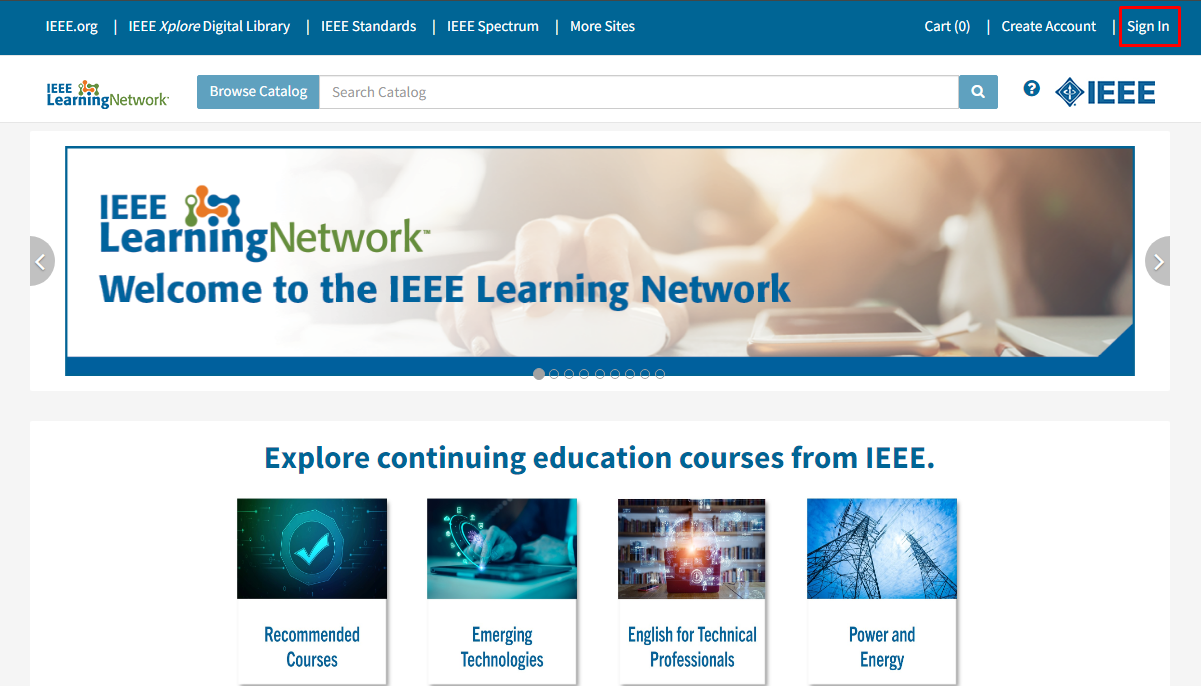
If you see a message stating, “Access provided by Ozyegin University,” you are connected to the campus network. Switch to another network and refresh the page. Click on "Sign in" in the top-right corner.
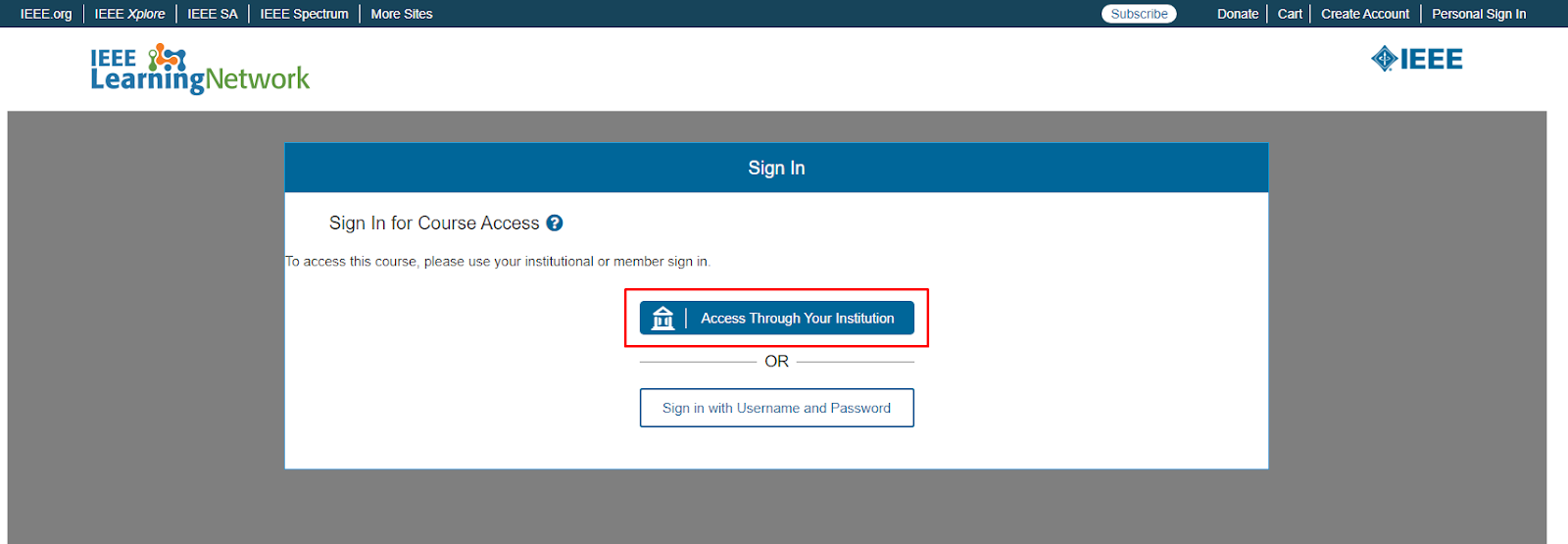
Select "Access Through Your Institution."
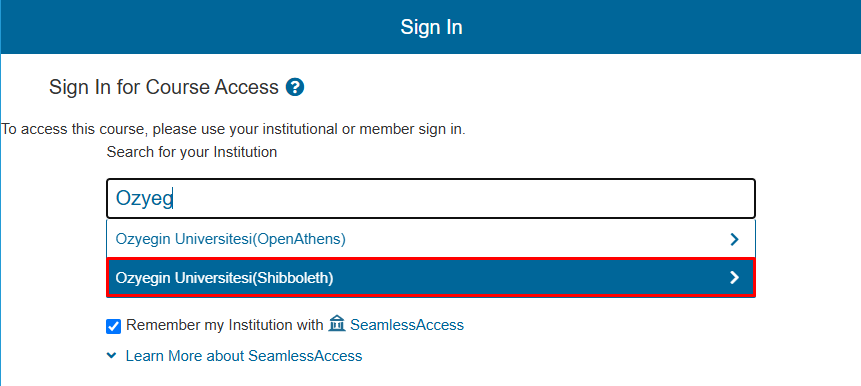
In the search field, type "Ozyegin" and choose "Ozyegin Universitesi (Shibboleth)."
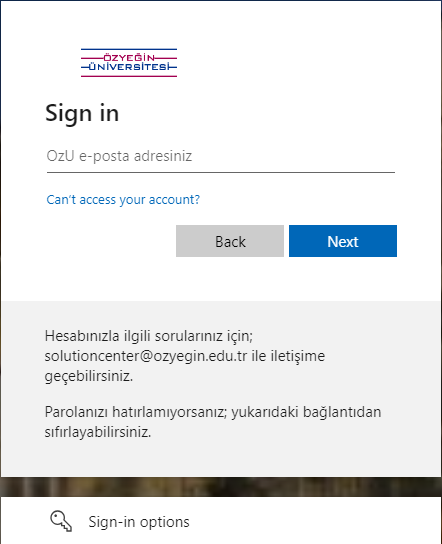
Log in using your Özyeğin account with the "@ozyegin.edu.tr" or "@ozu.edu.tr" extension.
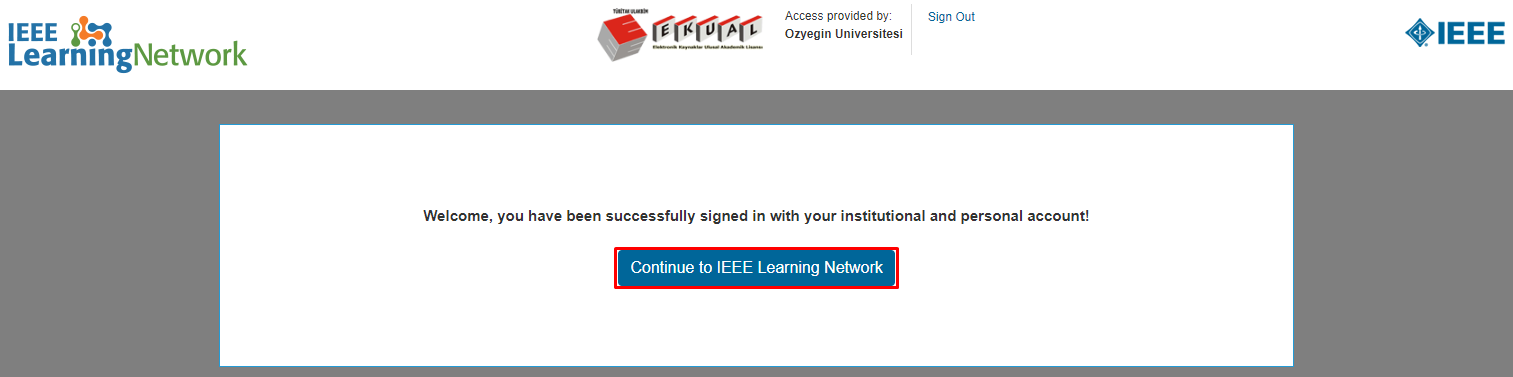
Click "Continue to IEEE Learning Network" to proceed.
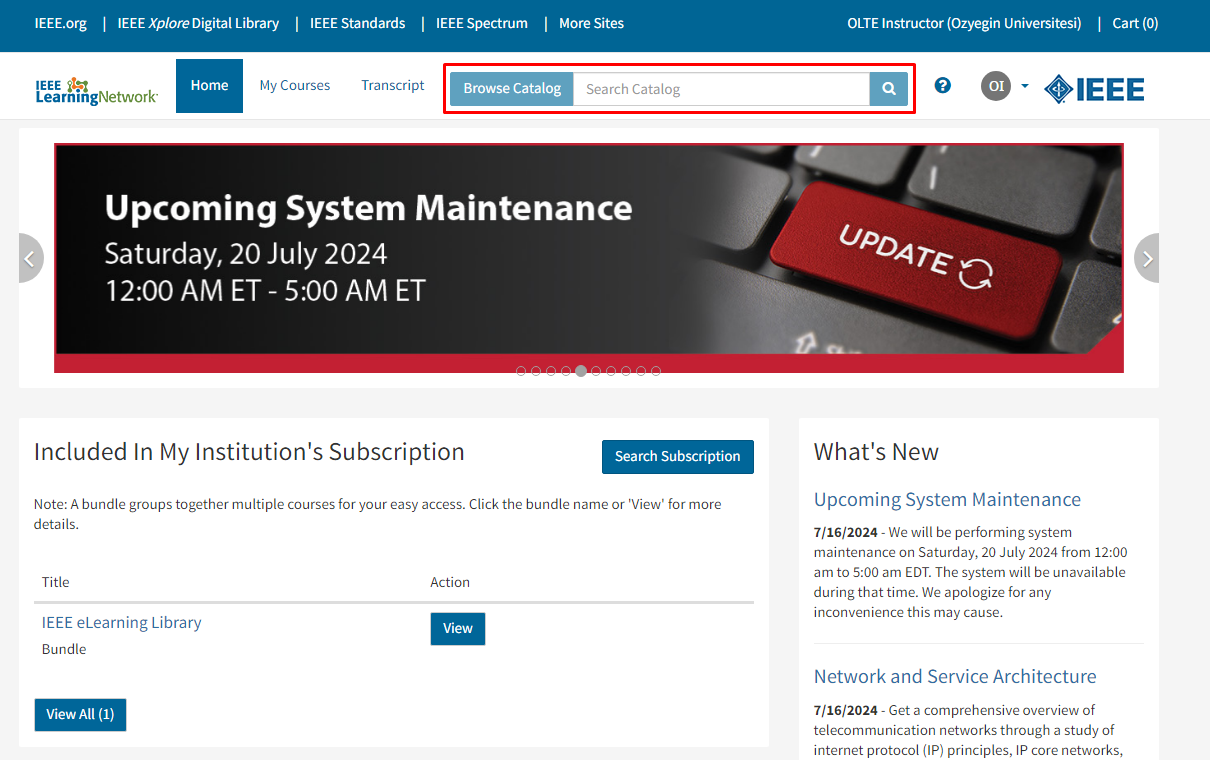
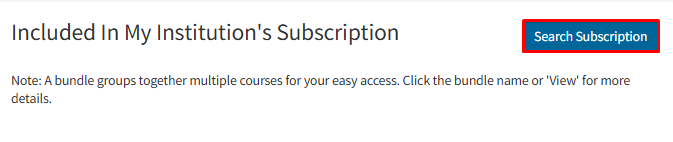
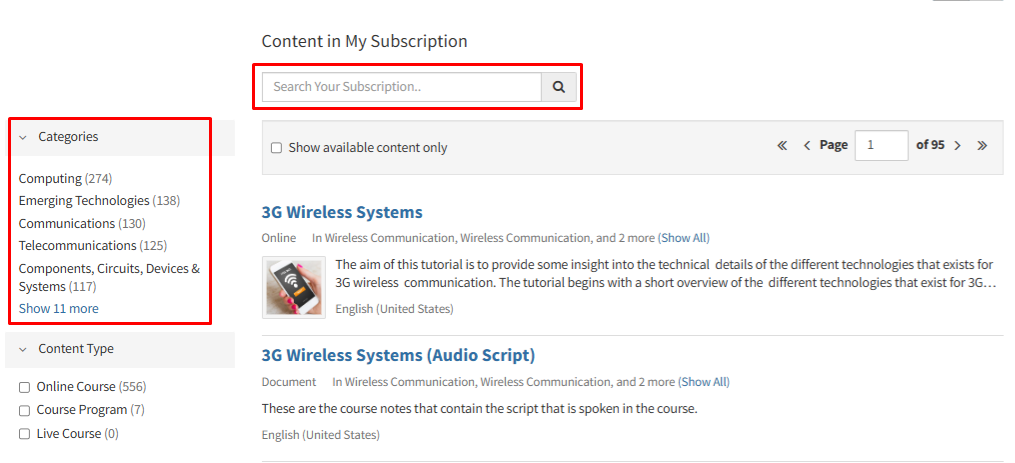
By clicking on "Search Subscription" you can access all trainings under the subscription for free.
Use the "Categories" section to filter content or the search bar to find specific trainings.
The "Browse Catalog" section allows you to view all paid and free trainings.